TL;DR
- ChatGPT now has a dashboard for businesses. It’s called Business Hub, it launched in beta on November 10, 2026, and claiming your business is free.
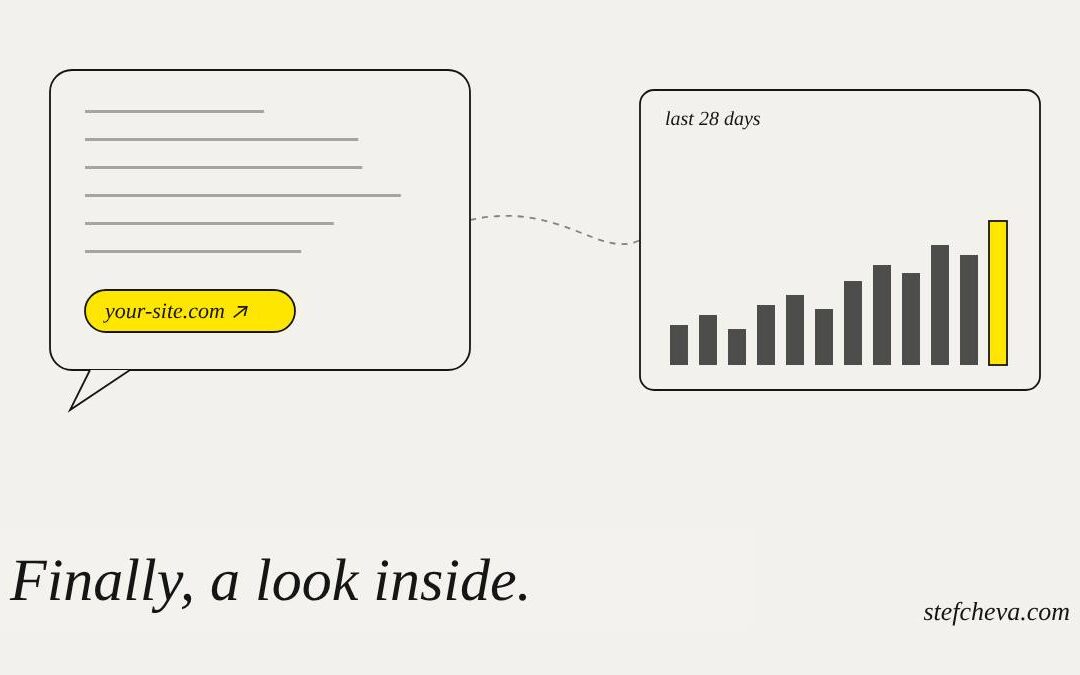
- For the first time, you can see how ChatGPT sends people to you: mentions, website clicks and the topics in which you appear, for the last 28 days.
- A mention of your brand name alone doesn’t count for online businesses. ChatGPT has to reference your website.
- Claiming doesn’t make ChatGPT recommend you more. If your site isn’t clear to AI, the dashboard will simply show you how invisible you are.
- Below: what the numbers mean, how I set up my own profile, what’s not available outside the US yet, and six things to check before you start.
For two years, the question I heard most from clients was simple: “Does ChatGPT even know we exist?” We could test prompts by hand and estimate, but we couldn’t see what actually happened inside ChatGPT.
That has started to change. OpenAI opened Business Hub, a section in ChatGPT where a business can claim its profile, update its information and see aggregated data about how people find it. A few days after the launch, I set up my own business to see what it really shows.
The short answer
What the Insights show
| Metric | What counts | What doesn’t |
|---|---|---|
| Mentions, online business | ChatGPT references your website in an answer | Your brand name without a link to your site |
| Mentions, local business | ChatGPT shows your location as a result, even if nobody opens it | – |
| Website clicks | Someone clicks through to your site from an answer | A confirmed visit or a sale |
| Discovery topics | Common themes in the answers that mentioned or cited you | The individual prompts or conversations |
Two important details. Insights appear only after activity passes a reporting threshold, so a blank screen doesn’t always mean zero. And you never see people’s actual conversations, only grouped themes.
Two examples
Someone asks ChatGPT where to buy an ergonomic office chair with fast delivery. ChatGPT links to your store and the person clicks. You get one mention, one website click, and a discovery topic like "ergonomic office chairs". You don't see the prompt itself.
Someone asks for good Italian restaurants in the city center. ChatGPT shows your restaurant's name and address, but nobody opens your site. You still get a mention, zero clicks, and a topic like "Italian restaurants".
How I set up my business
- Open Business HubIt's in the ChatGPT sidebar. I added my business through its website, because I don't have a physical location.
- Prove the website is yoursChatGPT gave me a short DNS TXT record to add where my domain is managed. Other options are a business phone, a business email or a Shopify store. If DNS sounds technical, just copy the record and send it to whoever maintains your site.
- Fill in the profileCategory, a description of what you do, and optionally a phone number and an email. It also asks about delivery and returns.
- Verify your identityA separate check through Persona, which may ask for a government-issued ID, business registration details and proof that you're authorized. In my case, approval took less than ten minutes.
- Add a product feedA CSV or JSONL file that follows OpenAI's specification, a link to a hosted file, or a Shopify connection. My single "product" was processed in about seven minutes.
The dashboard also offered me ad options. I’m skipping them for now. My own earlier test of ChatGPT ads didn’t convince me, and I’d rather see organic data first.
What isn’t available yet
| Feature | Status at launch |
|---|---|
| Claiming an online business | Open to eligible businesses where ChatGPT and verification are supported |
| Claiming a local store or restaurant | Only existing US listings |
| Business Agents, the chatbot that answers customers inside ChatGPT | Only eligible US ecommerce and online service businesses |
| Buying, booking or checking an order inside ChatGPT | Not possible. The agent explains and links to your website |
So if you’re outside the US, as I am, you can claim your business, see Insights and add a product feed, but you’ll have to wait for Business Agents.
Read the terms before you click
When you add a product feed, you accept OpenAI’s terms on behalf of your company. Read them, or send them to whoever handles your legal side. In short, the business is responsible for the accuracy of what it submits, and the terms cover how OpenAI may display your business name and materials and access your site. Nothing unusual compared with other ad and listing platforms, but it’s better to know what you’re signing than to find out later.
What the dashboard can’t fix
OpenAI says it plainly: claiming your business doesn’t guarantee more visibility and gives you no control over ChatGPT’s recommendations. Ads don’t influence them either. ChatGPT still reads other sources, such as your website and reviews.
That’s why I keep talking about the AI layer of a website, meaning content that an AI system can understand: who you are, what you offer, for whom and in which situations. Without it, ChatGPT can visit your site and still not understand when to cite you. The dashboard will just show you a zero.
Find your case
An online store
Claim the business and connect your catalogShopify stores can connect directly. Others upload a CSV or JSONL feed or link a hosted file
Fix first
An online service business
Claim through your website and describe your services clearlyA feed is optional. What matters more is that your site explains what you offer and for whom
Fix first
A local store or restaurant outside the US
Local claiming covers only existing US listings for nowKeep your website, reviews and other listings accurate in the meantime
Wait
You want a chatbot inside ChatGPT
Business Agents are US only at launchPrepare clear product and policy information now, so you're ready when it expands
Not available yet
Before you claim
Is your business ready for Business Hub?
If you want to know where you stand before the first data arrives, the AI Visibility Audit shows how ChatGPT, Gemini and Perplexity describe your brand today and what’s missing.
My take
This is the first time an AI assistant has given businesses an official look at what happens inside it. The data is aggregated, thin and comes with a threshold, but it’s real data, not our guesses.
I’d claim the business now, while it’s early. Not because it will bring traffic on its own, but because it will show honestly whether ChatGPT understands you. If the numbers are low, the answer isn’t in the dashboard. It’s on your website.
Have you claimed your business yet? I’d like to hear what your first numbers look like.
For a neutral overview of the features, the metrics and the availability by region, read ChatGPT Business Hub and Business Agents, Explained on Egorithms.
About The Author